DischargeKeeperApp
The DischargeKeeper App (DKApp) can measure the discharge in rivers and channels in seconds, no need of ground control points neither cross section. The only information needed is the river width and the water depth, with these values and the recorded video, the DKApp delivers an approximate value of the discharge. If accurate measurements are needed, the data recorded with the DKApp can be reprocessed on the DischargeProcessing.
The main steps are:
Open the DKApp to record a 5 second video.
Let the DKApp know where the river is with 4 clicks.
Enter the river width.
Enter the water depth.
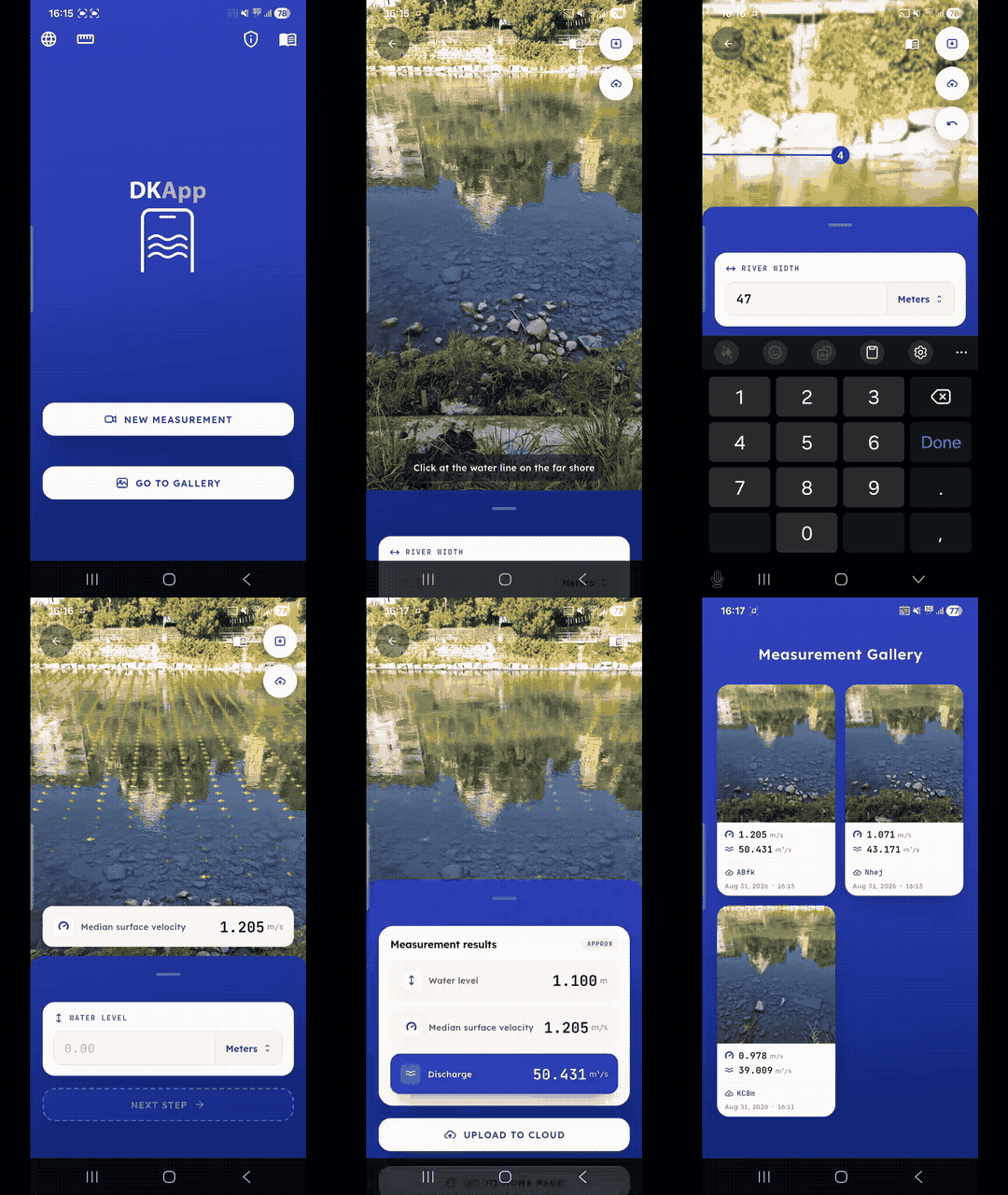
New measurement
After opening the DKApp, there are 2 options:
New measurement
Go to gallery
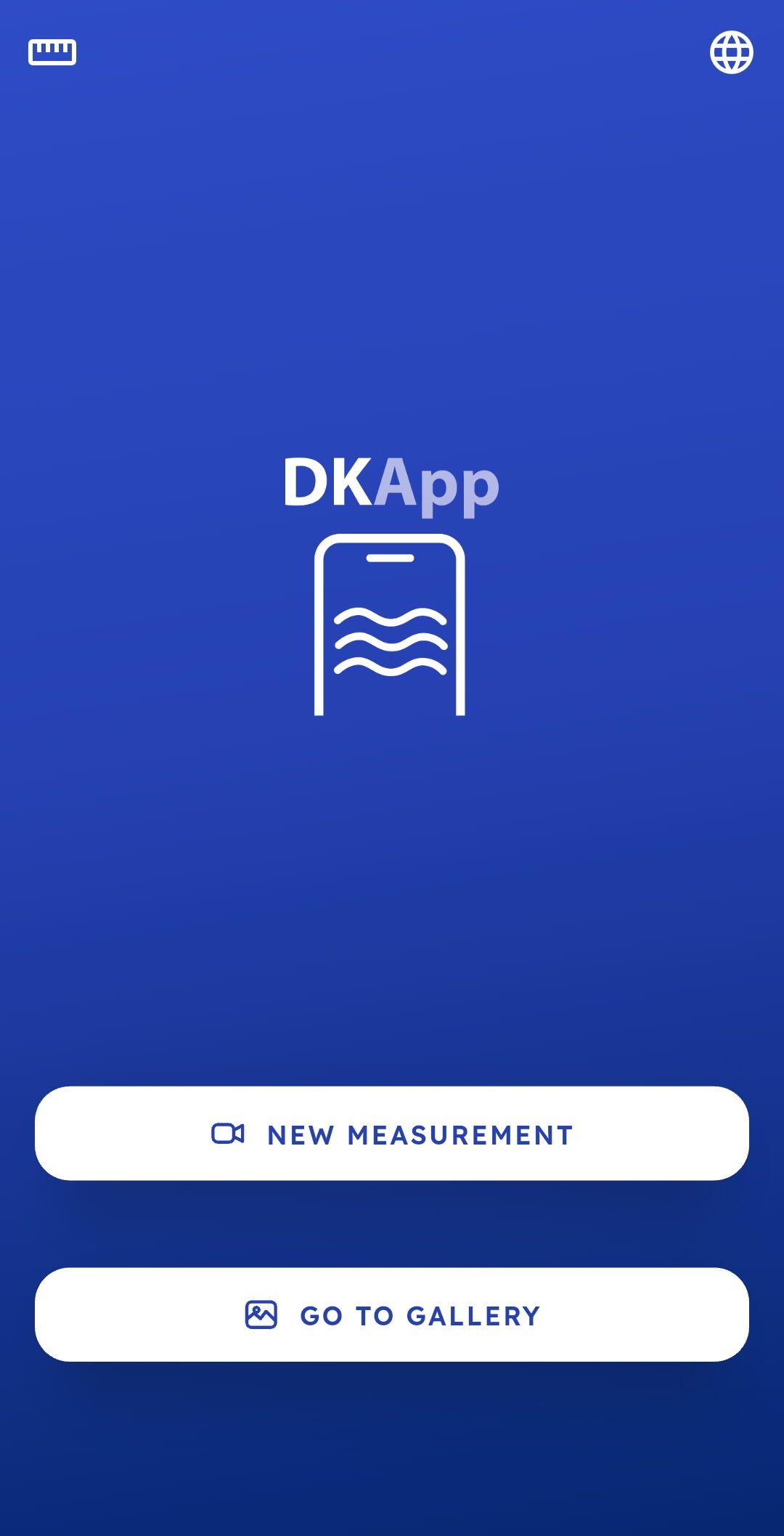
When clicking on “New measurement” the camera will be activated and a 5 second video will be recorded after clicking on the red button. Before starting the recording, there is a 2 seconds count down, it is very important to keep the phone stable, if the there is too much movement a message will be shown and the recording will be restarted.
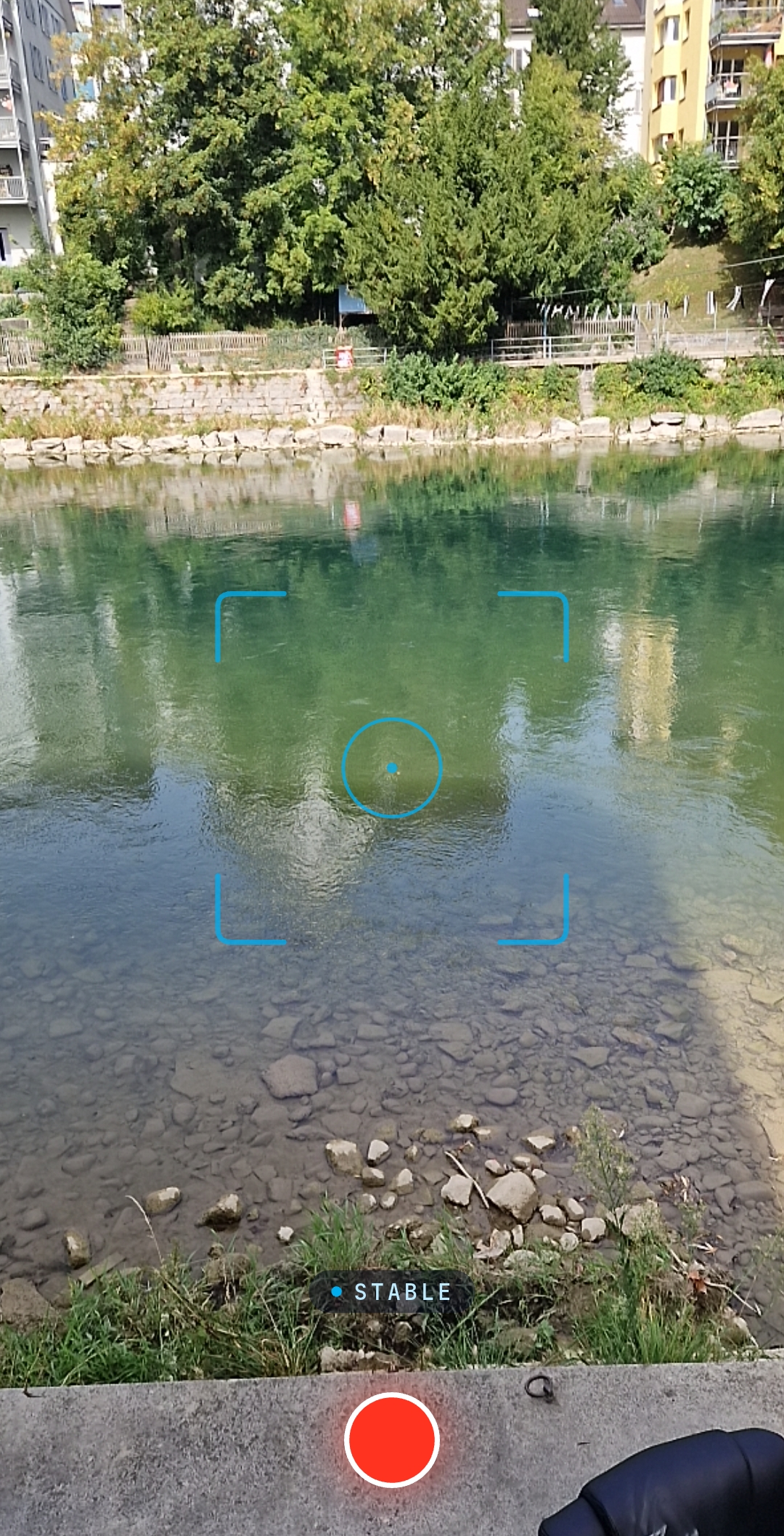
Measure velocity
To measure the velocity:
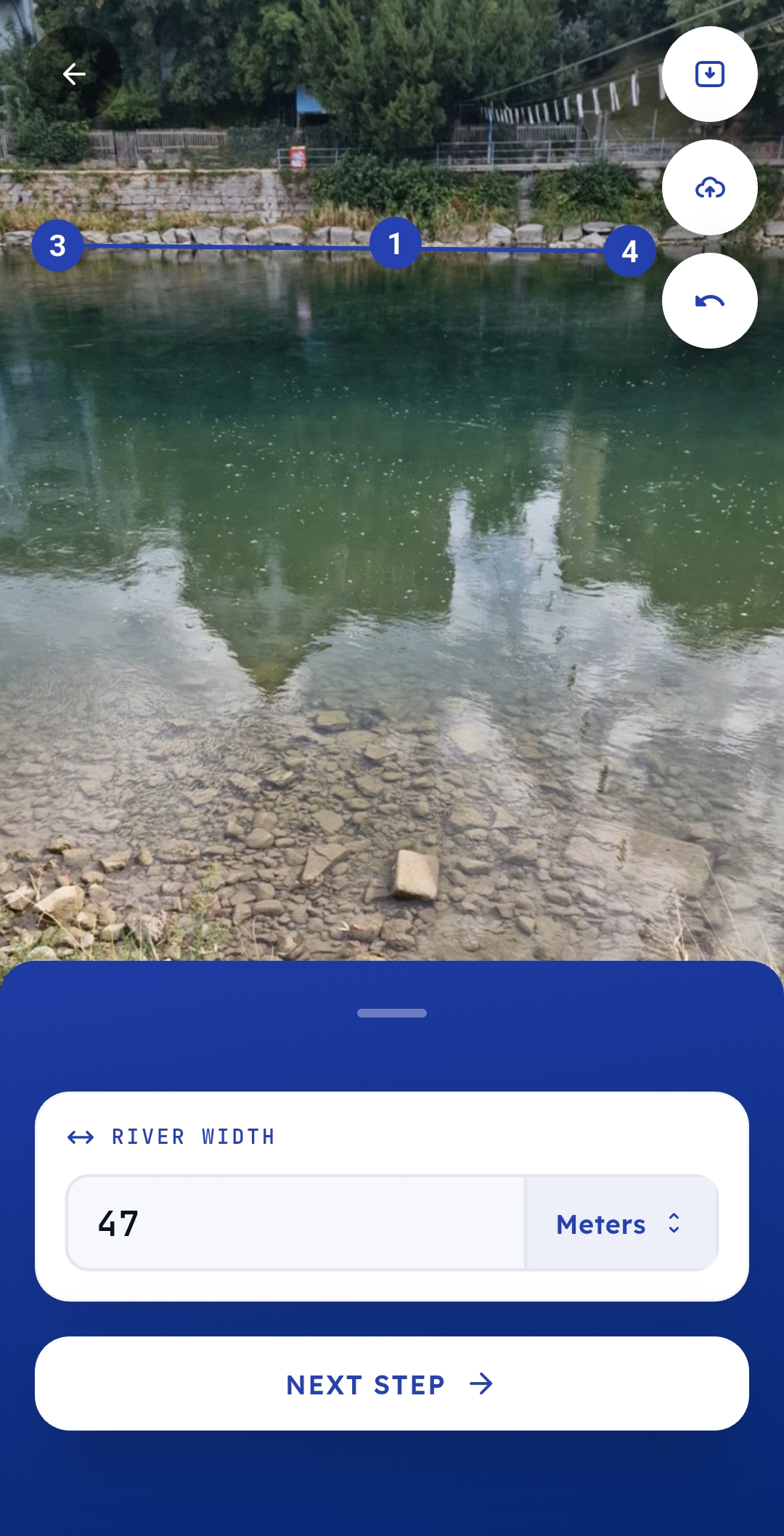
click a point on the far shore
click a point on the close shore
click on the left of the far water line
click on the right of the far water line
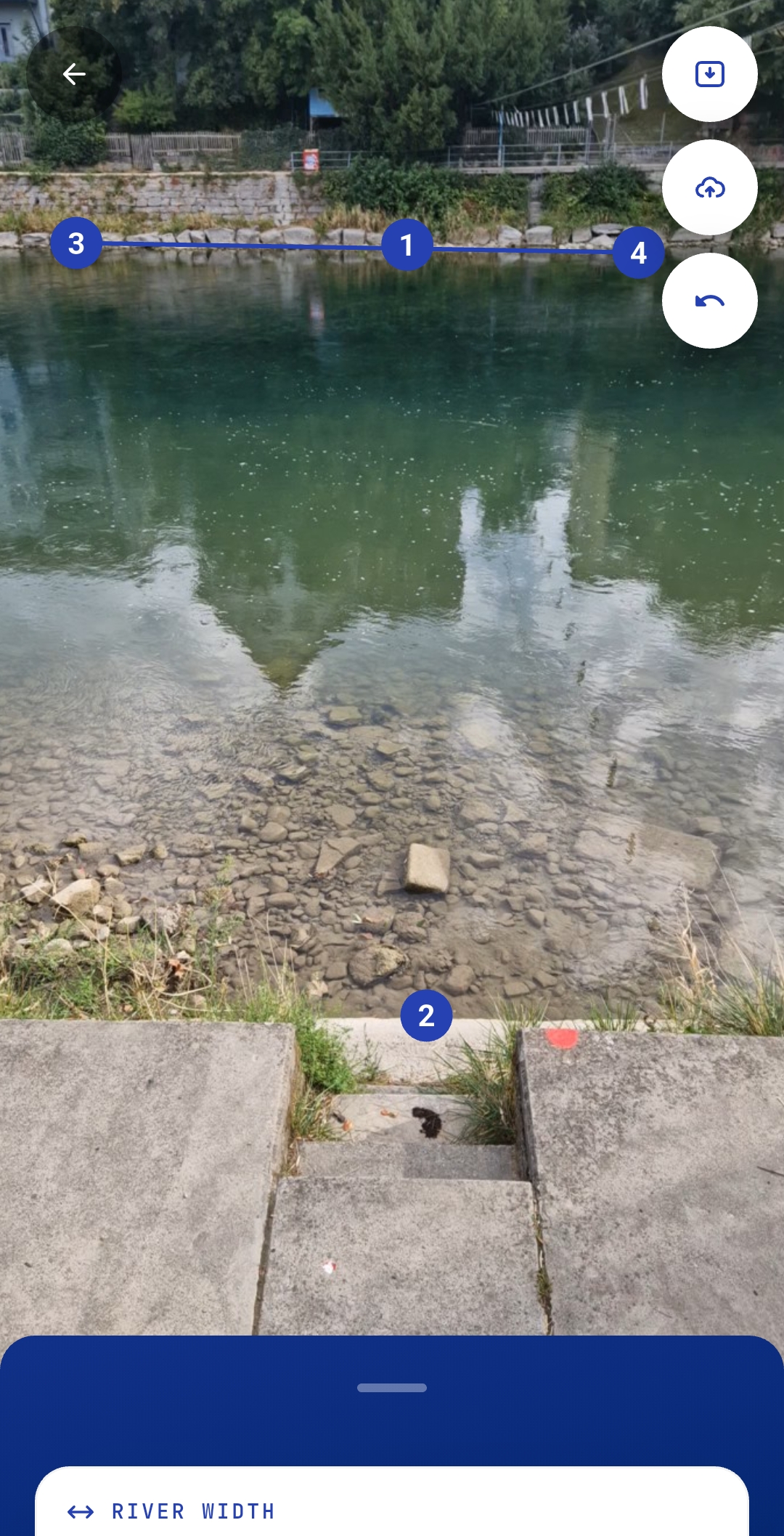
After the initial clicks it is possible to zoom using 2 fingers and to correct the precise positioning.
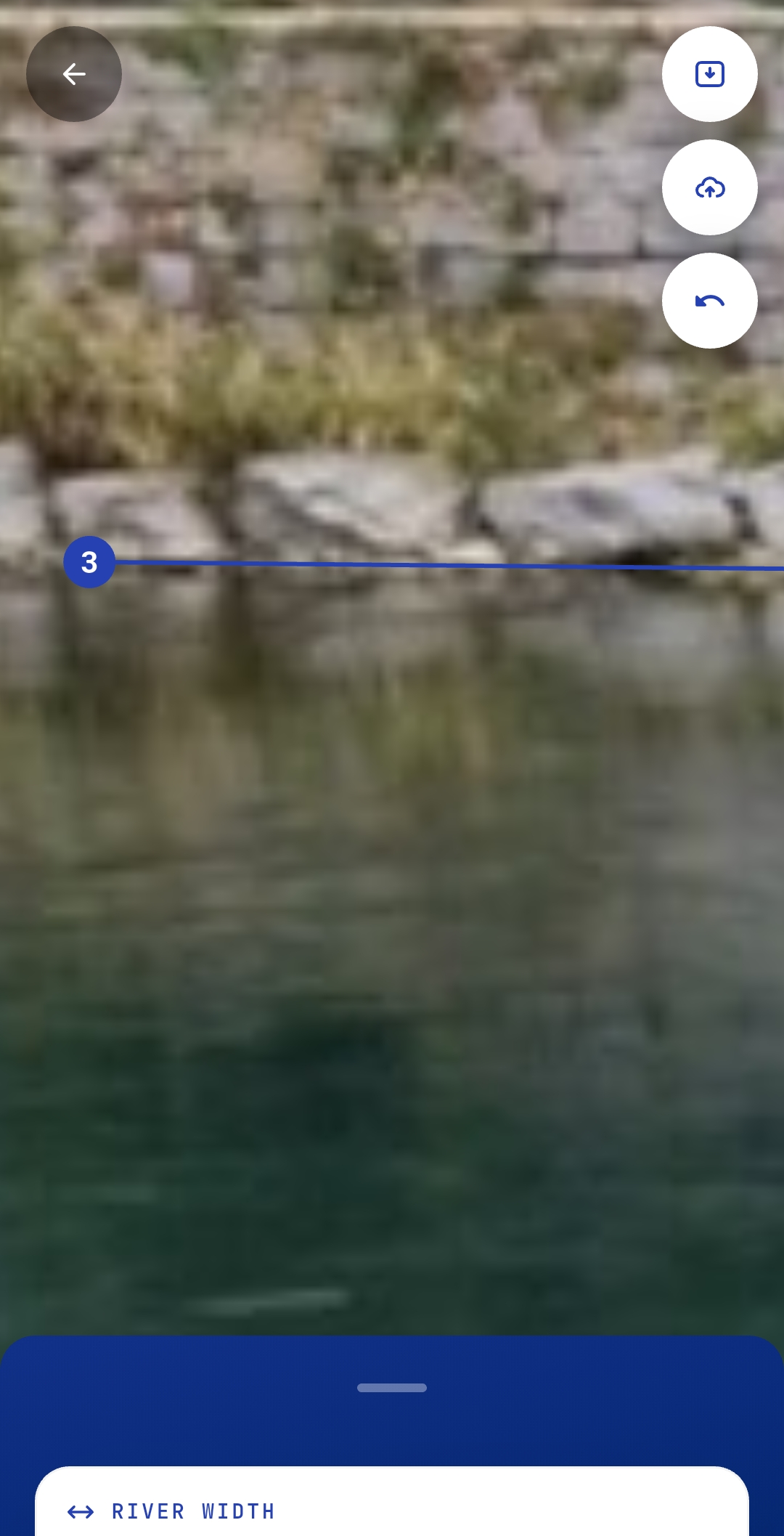
Enter the river width, i.e. the distance between clicks 1) and 2).
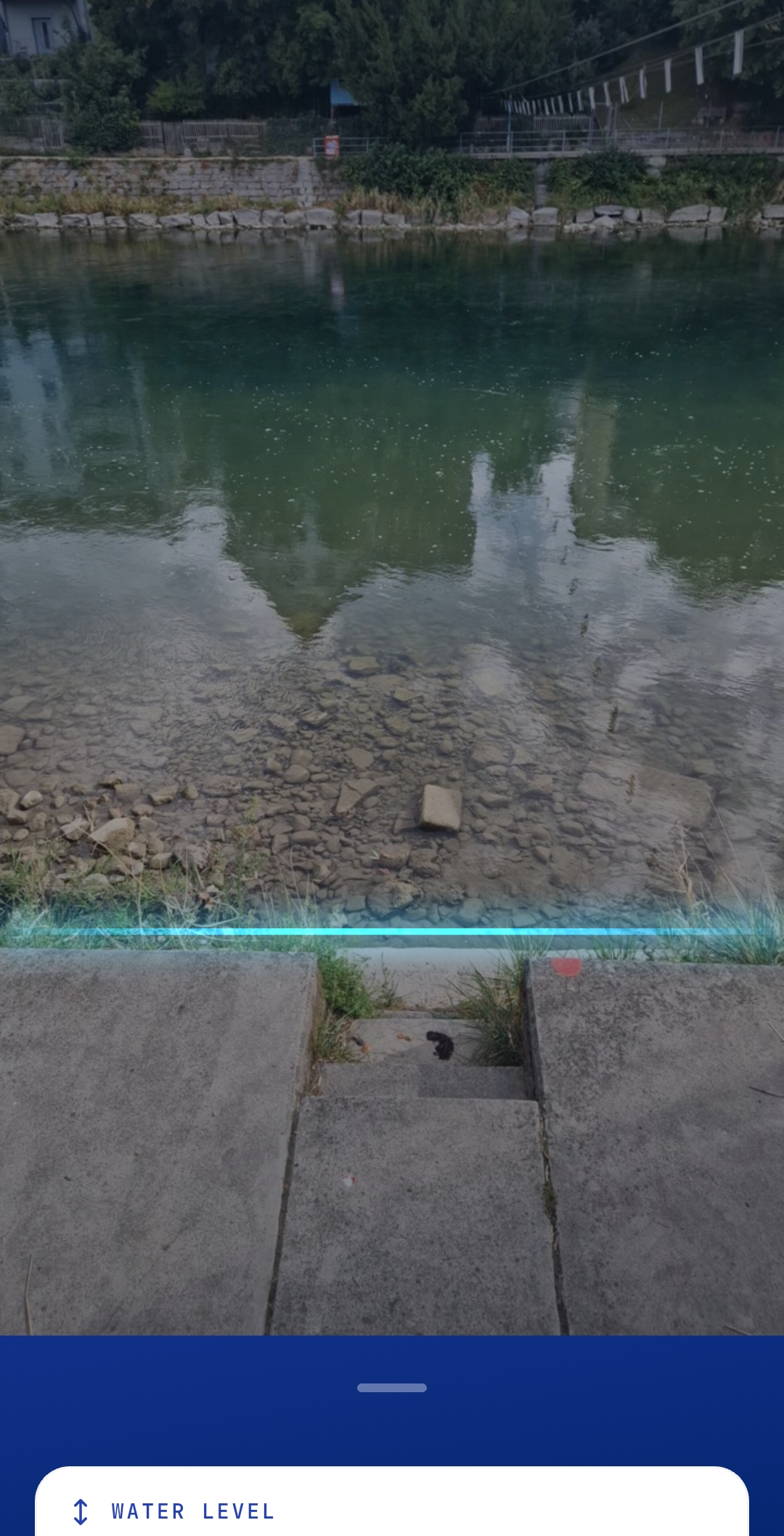
After clicking on “Next” the DKApp will measure the surface velocity of the flow, this might take a few seconds.
Once it is done, the surface velocity field will be shown.
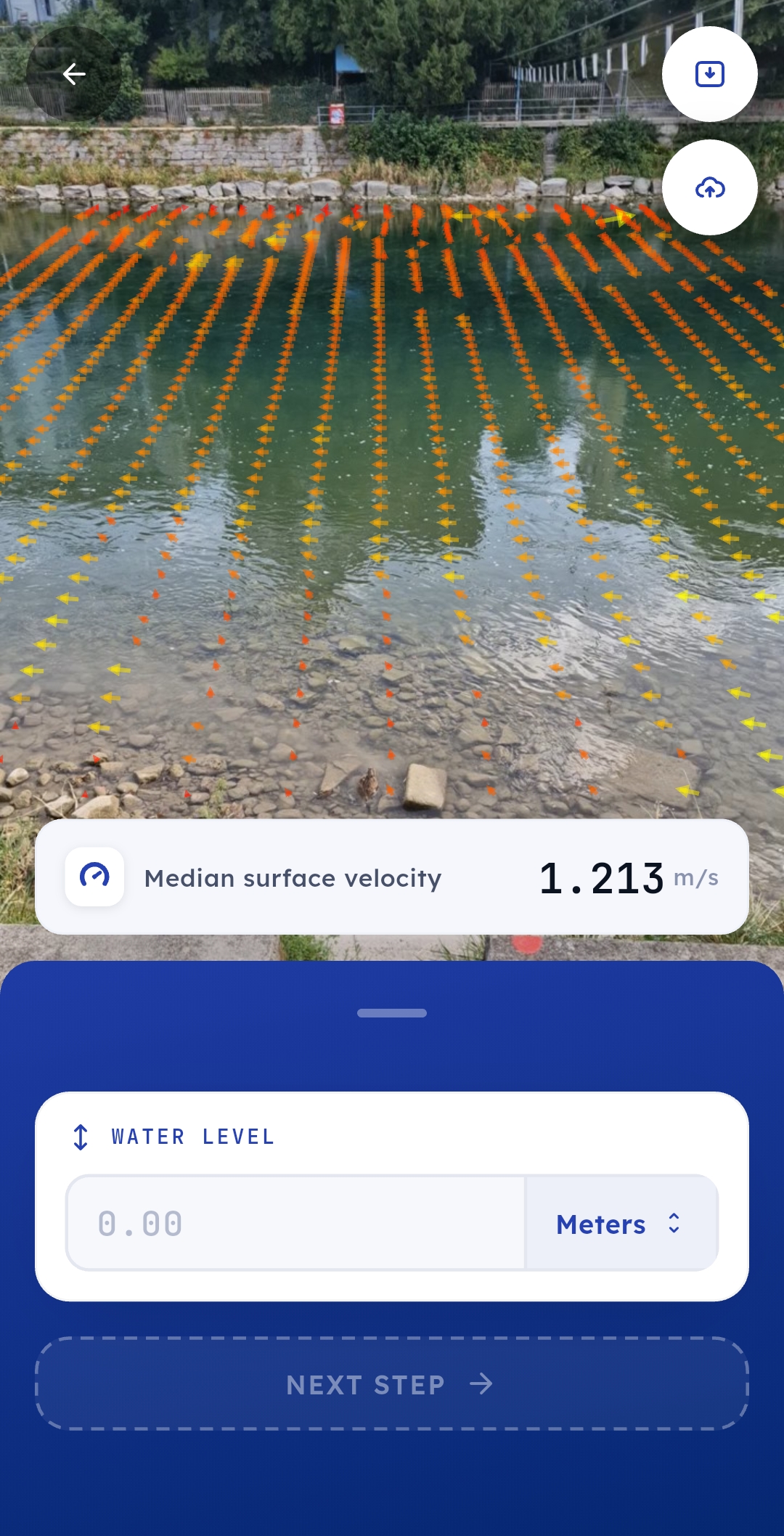
Measure discharge
For an approximate discharge enter an effective water depth
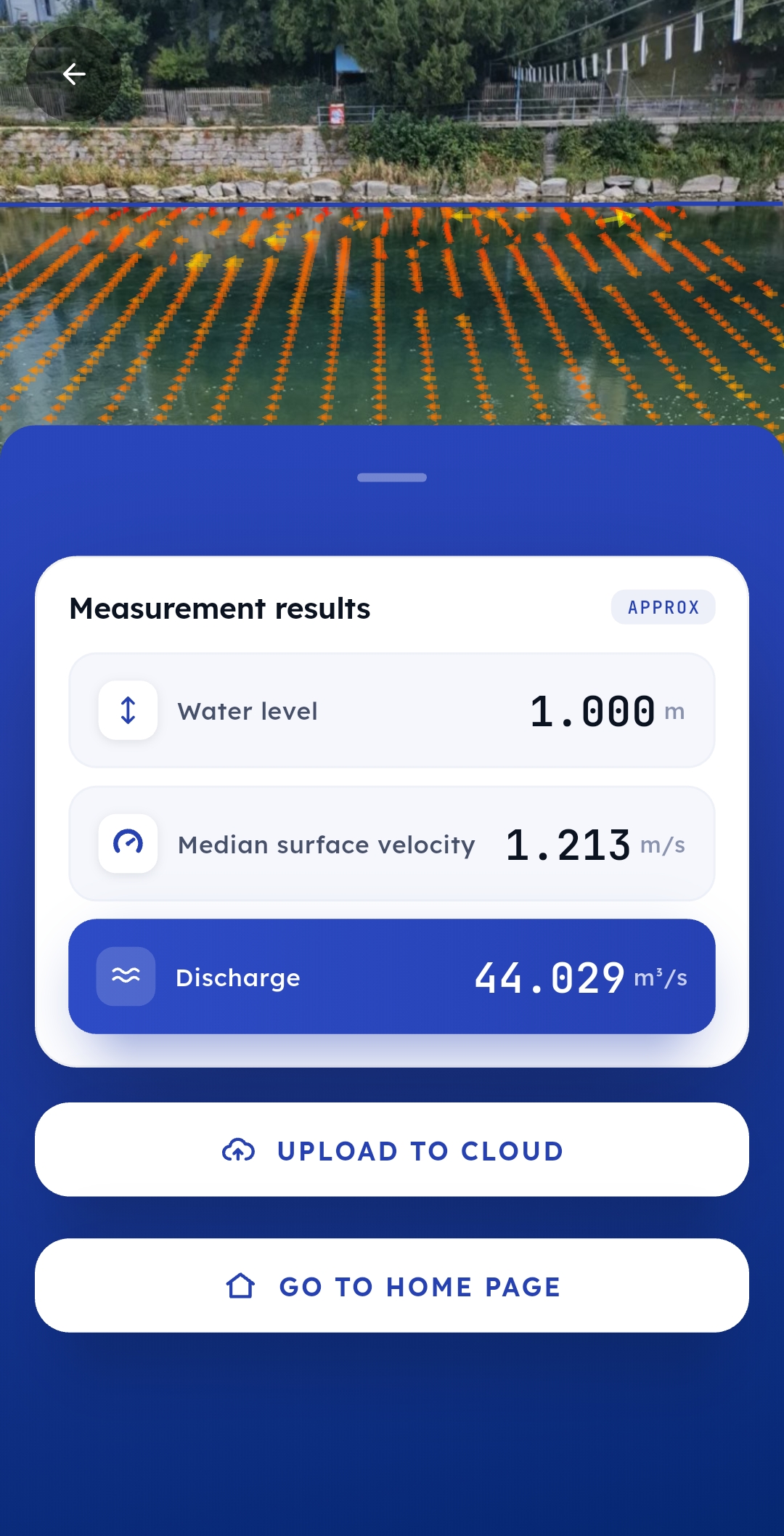
For a detailed analysis the videos can be sent to the cloud and re-processed with DischargeProcessing
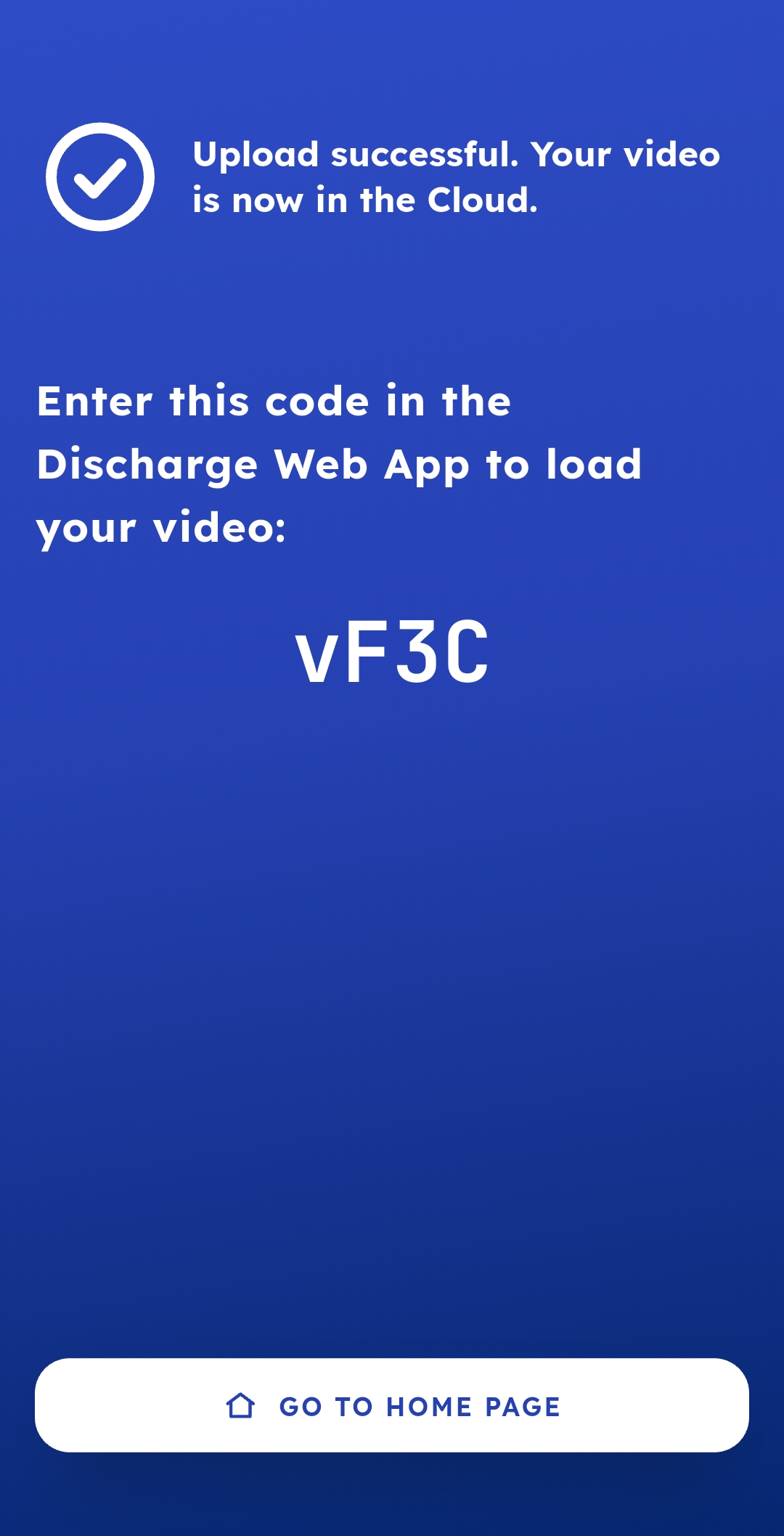
If the video is sent to the cloud a code will be generated which is needed for the reprocessing in the DischargeWeb
Gallery
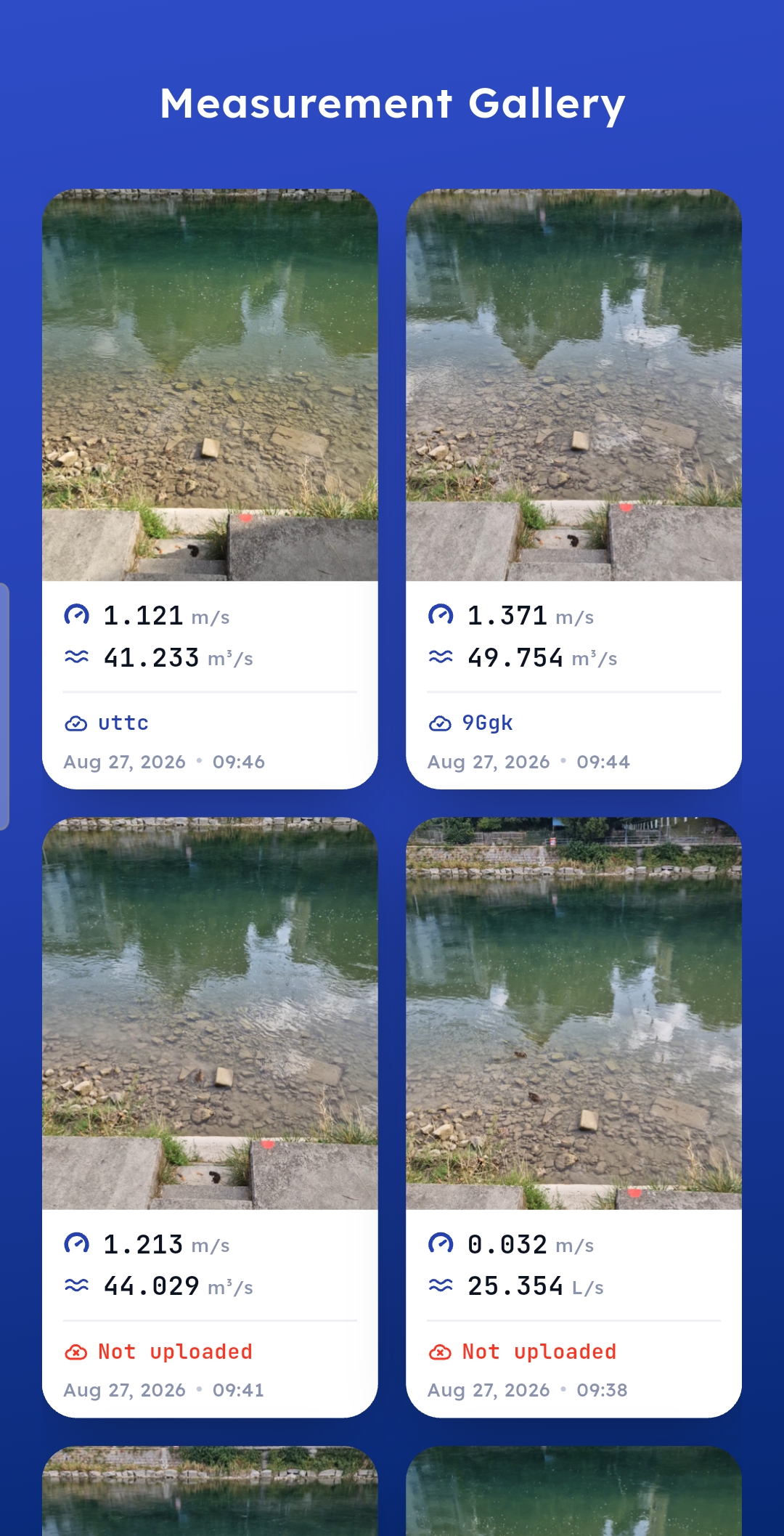
All recordings are saved locally, and they can be accessed from the main page by clicking on “Got to gallery””. Once in the gallery the measurements can be seen, reprocessed or deleted.
Special icons
There are two icons in the start page, the left sets the units:

while the right one sets the language

In the velocity page there are also two icons, the upper one allows to stop processing and save the video to the gallery
the lower one allows to stop processing and upload the video to the cloud
Troubleshooting
There are few situations where the DKApp can fail. If the velocity measurement could not be done, the following message error will be displayed:
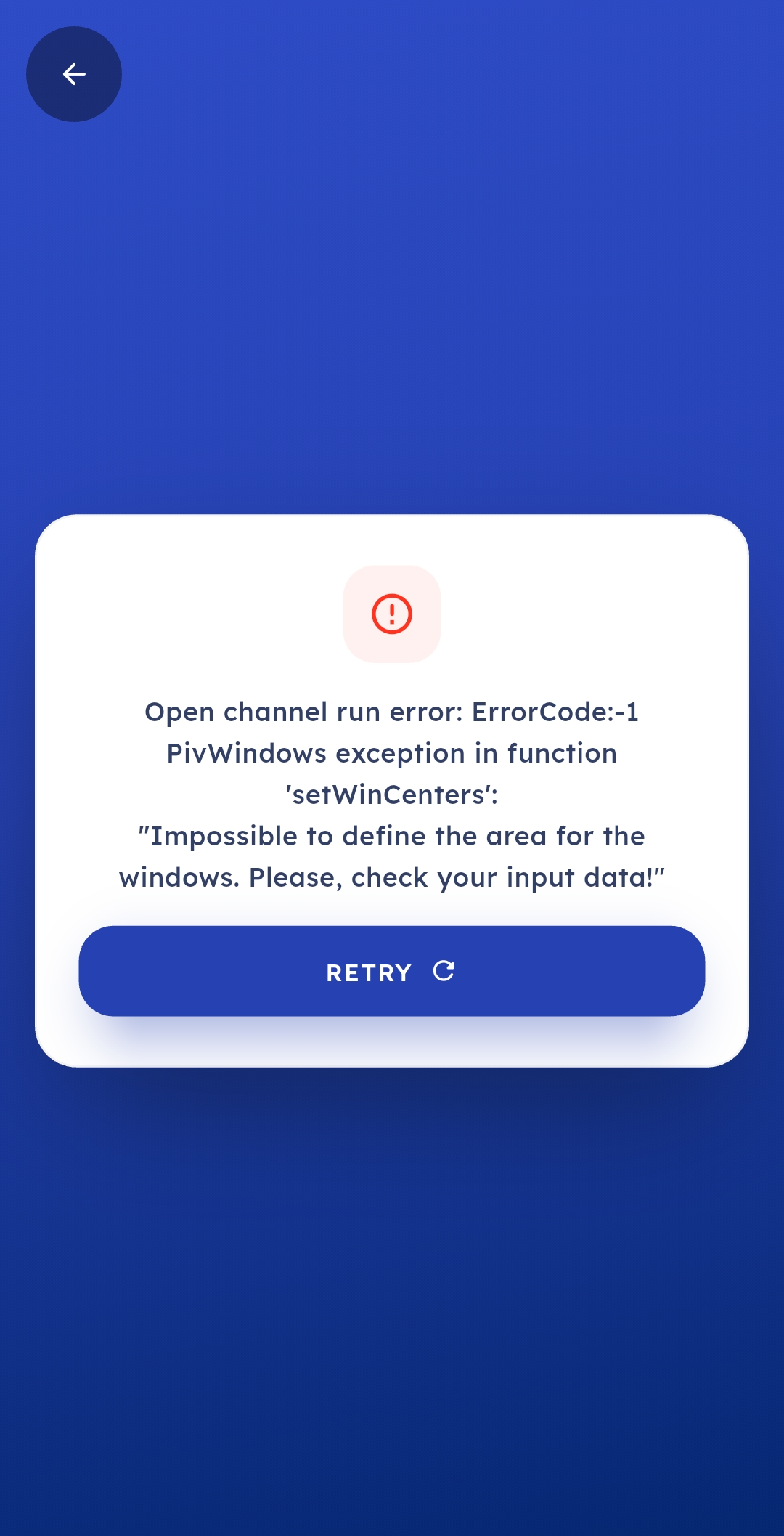
The source of the error can be:
There is no movement in the scene, i.e. water stagnant
The calibration failed. For this check that your 4 clicks are done as explained in Measure velocity
Privacy policy
Last updated: 31 August 2026
DKApp is a mobile app that measures the flow (discharge) of rivers and streams from a short video. This policy describes what data the app handles, what stays on your phone, what leaves it and when, who receives it, and the choices and rights you have. It applies to the DKApp app published on Google Play and the Apple App Store under the identifier ch.photrack.dischargeapp.
Who we are
Controller: Photrack Ltd, Switzerland (“Photrack”, “we”). Photrack publishes DKApp, decides how the data described here is used, and operates the DischargeWeb service the app can upload to.
Developer: Encode d.o.o., Croatia, develops and maintains the app on Photrack’s behalf and processes data only on Photrack’s instructions.
Privacy contact: discharge@photrack.ch
In short
There is no account and no login. The app never asks for your name, email address or phone number.
Your recordings and measurements stay on your phone until you tap Upload. Measuring works entirely offline.
The app sends anonymous usage statistics and crash reports to Google Firebase so that defects can be found and fixed. They contain no measurement values, no precise location and nothing that identifies you by name.
The app does not use your location, contacts, photos or microphone, and it shows no advertising.
Data stored on your device
The app keeps the following in its own private storage on your phone:
the videos you record (about five seconds each, without sound) and one still frame of each, used as the thumbnail;
each measurement: the time of recording, the orientation of the phone during recording, the river width and water depth you entered, the four reference points you marked on the frame, the computed velocity and discharge, and — if you uploaded it — the upload code the service returned;
your preferences: the unit system (metric or imperial) and the app language.
None of this leaves your phone by itself. You can delete any measurement, together with its video and thumbnail, from the gallery. Deleting in the app removes the copy on your phone only — a measurement you have already uploaded stays on the service until it is removed as described in section 8. Uninstalling the app removes all of its local data.
Data sent when you upload
Nothing is sent to Photrack until you tap Upload, on the results screen or in the gallery. When you do, the app sends to the DischargeWeb service operated by Photrack:
the recorded video;
the date and time of the recording (in UTC);
the screen orientation and the phone’s orientation during recording (three angles from the motion sensors), which the processing needs to reconstruct the camera geometry;
the water depth you entered (in metres);
the position of the four reference points you marked on the frame (eight pixel coordinates).
The following are not sent: the river width, the velocity and discharge computed on your phone, your location, any device identifier, and any name or contact detail. The video shows whatever the camera pointed at — frame the water surface, and avoid filming people, vehicles or house numbers if you do not want them in your upload.
Each upload request carries a signed token that proves it comes from the DKApp app; it does not identify you. The service answers with an upload code, which the app shows you and stores with the measurement. That code is the only reference to your upload — keep it if you may want to ask about the upload later (section 8).
Analytics and crash reporting (Google Firebase)
The app uses three services of Google Firebase, provided by Google. They are active in every copy of the app, and the app currently has no setting to turn them off.
Google Analytics for Firebase records which screens are opened and nine kinds of event: a processing step completed (with its duration) or failed (with a short error text); a recording cancelled because the phone moved too much; a measurement saved, uploaded (with the video’s file size), deleted or re-processed; an upload failed (with the failed step, a short error text, the file size and the difference between your phone’s clock and the server’s); and the help page opened (with the screen it was opened from). To each event Google’s software adds the device model, operating system version, app version, language, your approximate location — the country, region and city that Google derives from your IP address and then discards; the app never uses GPS — and the identifiers listed below.
Firebase Crashlytics sends a report when the app crashes, and for a small set of handled failures: a processing step failing, an upload rejected by the server (with the HTTP status, an excerpt of the server’s reply and the clock difference), a camera error, or the help page or this policy failing to open. A report contains the technical state of the app at that moment — the stack trace, device model, operating system version, app version — and the sequence of screens and events that led up to it.
Firebase Remote Config downloads, once when the app starts, a template of processing parameters. Nothing about you is sent beyond the standard request context of the Firebase software.
Identifiers. None of these services receives your name, an account or an upload code. They work with two random values that Google’s software creates for this installation of the app — a Firebase installation id and an Analytics app-instance id — and nothing else: the app switches off the Firebase software’s collection of the Android advertising ID and of the iOS identifier for vendor (IDFV), and it never asks for tracking permission, so the iOS advertising identifier is not available to it either.
What is not collected: measurement values (river width, water depth, velocity, discharge), any location finer than the city derived from your IP address, upload codes, and individual taps or inputs — only outcomes, failures and durations are recorded.
Permissions
Camera — to record the video. Used only while you are on the recording screen.
Internet — to upload, to reach Google Firebase, and to open the help pages and this policy in your browser.
Motion sensors — while you record, the accelerometer tells the app whether the phone is tilting or panning, so that it can warn you or stop a recording that would be unusable. The readings are processed on the phone; only the phone’s final orientation (three angles) is stored with the measurement and sent if you upload. iOS shows this use in the app’s permission details; Android requires no permission for it.
The app’s Android package also lists external-storage permissions, because the camera component it is built with is able to save to shared storage; DKApp never asks you for them and keeps its files in its own private storage. That component is also able to record sound — DKApp records without sound and leaves the microphone permission out of its package altogether.
The app does not request access to your location, contacts or photo library.
Who receives data
Photrack receives uploads (section 4) on the servers of the DischargeWeb service.
Google receives the Firebase data (section 5). Google may process it on servers outside Switzerland and the European Economic Area, including in the United States. Google states that its Firebase terms incorporate the EU Standard Contractual Clauses and that it participates in the EU-U.S. and Swiss-U.S. Data Privacy Frameworks; Google’s own privacy policy applies to that processing.
photrack.ch — the help pages and this policy open in your phone’s browser on photrack.ch; that website’s own privacy notice applies to your visit.
Apart from the above, we do not share your data with anyone, and we never sell it.
Retention and deletion
On your phone: until you delete the measurement or uninstall the app.
Uploads: the video is deleted automatically 30 days after the upload. The measurement record (time, orientations, depth and reference-point coordinates) is kept for the operation of the service. To have a record deleted, email discharge@photrack.ch and quote its upload code.
Firebase: analytics data is kept for the retention period configured for this app in Google Analytics; crash reports and their identifiers for 90 days, according to Google.
Security
Data travels encrypted (HTTPS/TLS) to Photrack’s servers and to Google. Each upload request is individually signed, so the service accepts data only from the app. On your phone, the app’s files live in its private storage, which other apps cannot read.
Children
DKApp is a professional tool for hydrological measurement and is not directed at children. We do not knowingly collect data from children. If you believe a child has uploaded a measurement, email discharge@photrack.ch and quote the upload code so we can remove it.
Your rights
Under the Swiss Federal Act on Data Protection (FADP) you can ask us what data we hold that relates to you, and ask for it to be corrected or deleted. If you are in the European Union or the European Economic Area, the General Data Protection Regulation (GDPR) gives you in addition the rights to restrict or object to processing, to receive your data in a portable form, and to lodge a complaint with your data-protection supervisory authority.
Because the app collects no name or contact detail, the only data we can find on request is an upload — so please quote its upload code. Write to discharge@photrack.ch; we answer within the periods the law provides.
Changes
We update this policy when the app or the services it uses change. The current version is always at https://photrack.ch/dkapp_manual/DKapp.html#privacy-policy, dated at the top; the app links to that page from its home screen.
Contact
Photrack Ltd, Switzerland — discharge@photrack.ch